
● Daily work · Website check
The report page
a one-page website check for the business owner.
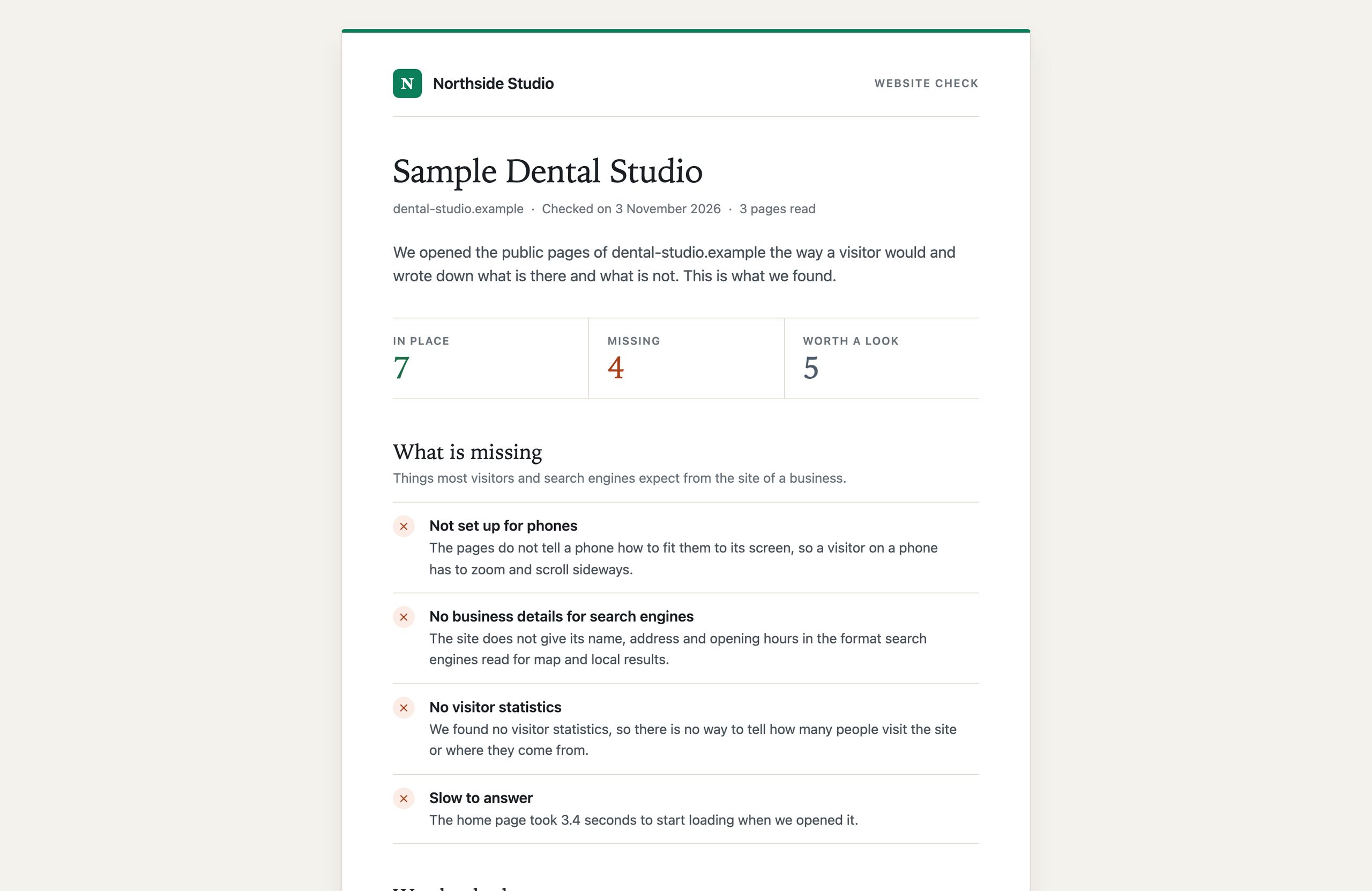
After a successful website check you can create a report link: a public page under your own brand that tells the owner of the business, in plain words, what their site has and what it lacks. You add the link to your first message. The page never shows the score, your reasons or any e-mail address.
01Create a link
- Set the public URL under Settings → Your agency. Without it no link can be built.
- Check the website of the lead. The check must have read the site.
- Press Create a report link in the Website check panel. Or simply press Write an e-mail: a draft creates the link by itself and puts it in the text ("I put what I found on one page: …").
- Open the report or Copy the link.
One link belongs to one check of one lead and is reused, so pressing again gives the same link. A new check gets a new link.
02What the page shows
- Your logo and name from Brand, in your accent colour, and a "Run by" footer with your name and website. Fill in Brand: while the name is empty the page says "Leadlantern".
- The business name, then each finding as a short title and one sentence an owner understands, marked as in place, missing, or worth a look. For example: Not set up for phones: the pages do not tell a phone how to fit them to its screen, so a visitor on a phone has to zoom and scroll sideways.
- Findings: secure connection, set up for phones, page title, description for search results, main heading, business details for search engines, contact form, phone number, visitor statistics, speed (Google's score with a PageSpeed key, else a slow answer), e-mail address published, online booking, chat, advert measurement, social profiles, and a dated copyright year.
- Print or save as PDF: opens a print layout and the browser's print window. Choose "Save as PDF" to keep a copy.
03What it never shows
No score, no reasons list, no e-mail address read from the site, and nothing about your sale. The reader is the business, not you.
04Who can open it
- The link carries a random 24-character code; a report cannot be found by guessing. An unknown link shows "Report not found".
- The page tells search engines not to index it (
noindex, nofollow). - Each opening is counted in the database (the print layout is not). The console pages of this version do not display that count.
- One visitor may open at most 120 report pages a minute.
- Deleting the lead removes its checks and so its report.