
Finding businesses
one type, one area, one search.
A search asks one official source for one type of business in one area, and adds what it finds to your leads. Nothing is scraped from map websites. Running the same search again adds nothing twice: businesses you already have are refreshed and what you wrote about them is kept.
01Run a search
- Open Find businesses.
- Type of business: pick one of 40 types (Accountant, Architect, Bakery, Bar, Barber, Beauty salon, Bicycle shop, Cafe, Car dealer, Car repair, Chiropractor, Cleaning company, Dentist, Driving school, Dry cleaner, Electrician, Estate agent, Florist, Funeral director, Gym, Hairdresser, Hotel, Insurance agent, Kindergarten, Lawyer, Locksmith, Moving company, Optician, Painter, Pet grooming, Photographer, Physiotherapist, Plumber, Restaurant, Roofer, Spa, Tattoo studio, Travel agency, Vet, Yoga studio).
- Area: a town, a district or a postcode area, best with the country:
Leeds, UK,1010 Wien. - Source: OpenStreetMap, or Google Places with your own key.
- Most results: up to the limit in Place data.
- Press Search. A search takes a few seconds. New businesses are added to Leads; ones you already have are refreshed.
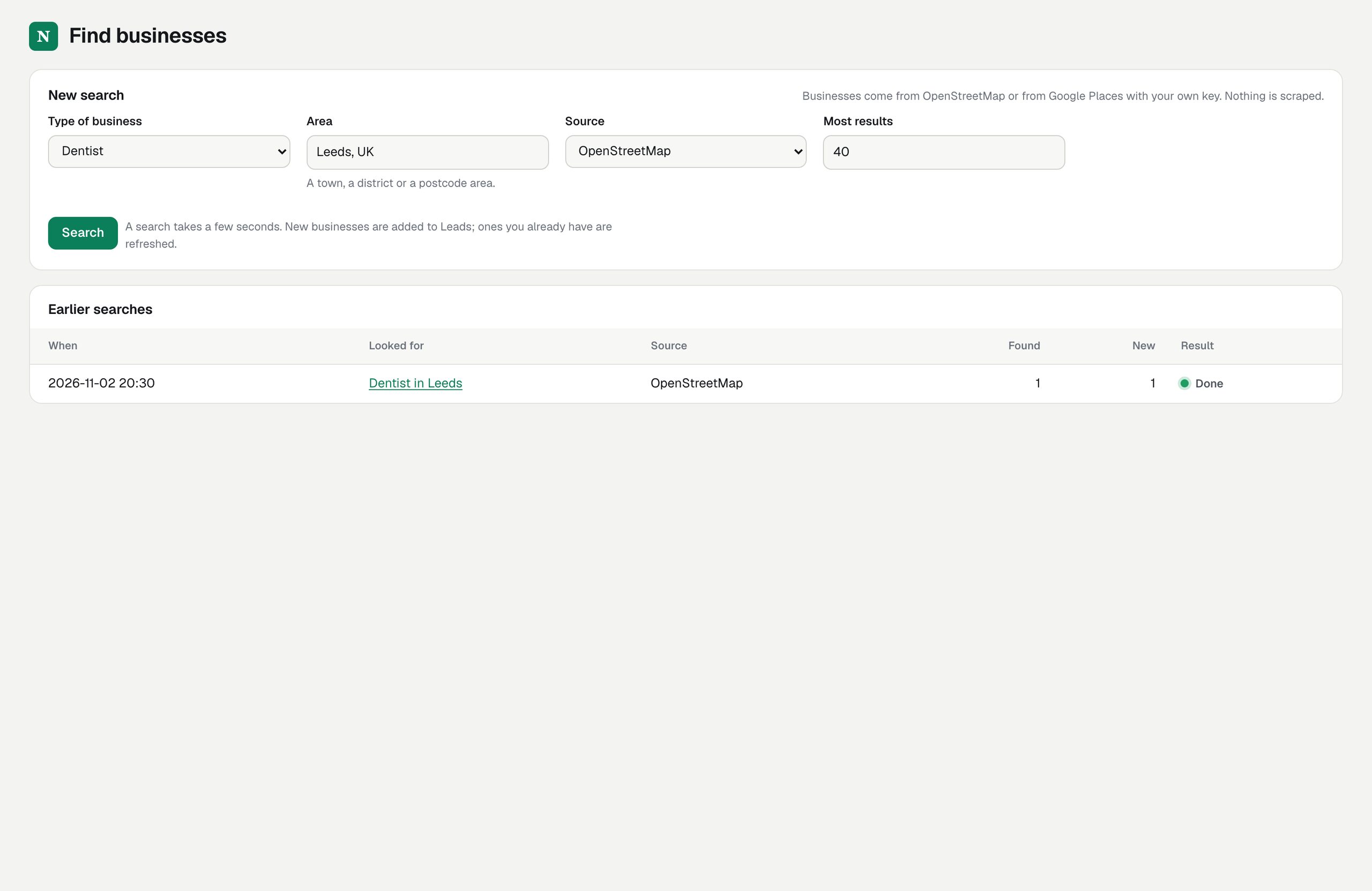
02Earlier searches
The table under the form lists each search: when, what, source, how many were found, how many were new, and the result (Done, Running or Failed with the reason). Click a search to see only the leads it found.
03How OpenStreetMap searches work
- Nominatim turns the area you typed into one place on the map (the first match).
- Overpass returns the named businesses of that type inside it, with address, phone, website and e-mail when the map has them.
Only a business e-mail that OpenStreetMap lists and that is a general address (info@, hello@, office@ and similar) is kept. Results carry the credit "© OpenStreetMap contributors" wherever they are listed. The public servers are shared by everyone; when they are busy the search fails with a sentence that says so (what to do).
04How Google Places searches work
Leadlantern sends Google's Text Search the type and area ("dentists in Leeds, UK") and reads up to three pages of 20 results, 60 at most. Permanently closed businesses are skipped. Google returns phone, website, rating and number of reviews, but no e-mail address; an e-mail is found later by the website check. Results carry "Powered by Google". Each request is billed by Google to your account, and Google's details are removed after 30 days (Google's 30-day rule).
05When a search fails
| Message | What to do |
|---|---|
| OpenStreetMap does not know an area called "…" | Type a town or city with its country: "Leeds, UK". |
| That area is too large for the OpenStreetMap server to search in one go | Search a town or a district instead of a region or country. |
| The public OpenStreetMap server is busy | Wait a minute and search again, or set your own server in Place data. |
| The Google Places key is not set | Add it in Integrations, or search with OpenStreetMap. |
| Google says the quota of this key is used up | Check the quota in Google Cloud, or search with OpenStreetMap. |
06Add a business by hand
Leads → Add a lead: name, type, website, e-mail (only an address the business gave you or publishes itself), phone, town, country code, address. A lead without a website is scored right away; one with a website is scored when you check it.