
Quick start
Leadlantern running on your computer.
Try Leadlantern on your own Mac or Linux computer before you put it on a server. You need Node.js and pnpm; every key is optional. This takes about ten minutes.
01Before you start
- Node.js 26 LTS (24 or newer also works). Check with
node --version. Download it from nodejs.org if it is missing or older. - pnpm. Install it with
npm install -g pnpmand check withpnpm --version. - The
sourcefolder from the download, unzipped somewhere on your computer. These pages call that place/path/to/leadlantern.
Run the commands inside WSL (Windows Subsystem for Linux) with Ubuntu. Running Leadlantern directly on Windows was not tested for this release.
02Five steps
The commands on this page are written for macOS and Linux shells. On a Windows PC run them inside WSL (Ubuntu) or in Git Bash; production belongs on a Linux server. See Windows.
- Open a terminal in the source folder.
cd /path/to/leadlantern/source - Install the packages.
pnpm installdownloads the libraries and builds the SQLite database driver. - Compile.
pnpm buildturns the TypeScript sources into JavaScript indist/. - Start.
pnpm start. The terminal prints a one-time setup code (next step) andlistening on http://localhost:8080. - Create the owner. Open
http://localhost:8080/admin, type the setup code, your e-mail and a password of at least 12 characters (First start).
cd /path/to/leadlantern/source
pnpm install
pnpm build
pnpm start          # or: pnpm dev (runs the sources and restarts on every change)
A .env file is not required for a trial. Without ADMIN_SECRET_KEY the server creates a key file in data/.admin-secret-key and says so in the terminal (About ADMIN_SECRET_KEY).
On 2026-11-11 these commands were run on a clean copy of the core package with Node.js 26.13 and pnpm 12.18: pnpm install, pnpm typecheck, pnpm test (135 tests passed), pnpm build, start.
03Your first search
- Settings → Your agency. Pick The service you sell and type your name and postal address (Your agency). On your own computer the public URL can be
http://localhost:8080. - Find businesses. Pick a type of business, type a town with its country ("Leeds, UK") and keep the source on OpenStreetMap. Press Search.
- Open a lead that has a website and press Check the website. The lead gets a score and its reasons.
- Write an e-mail. Read the draft, change it, then copy it into your own mail app or connect Resend to send it from the console (Writing and sending).
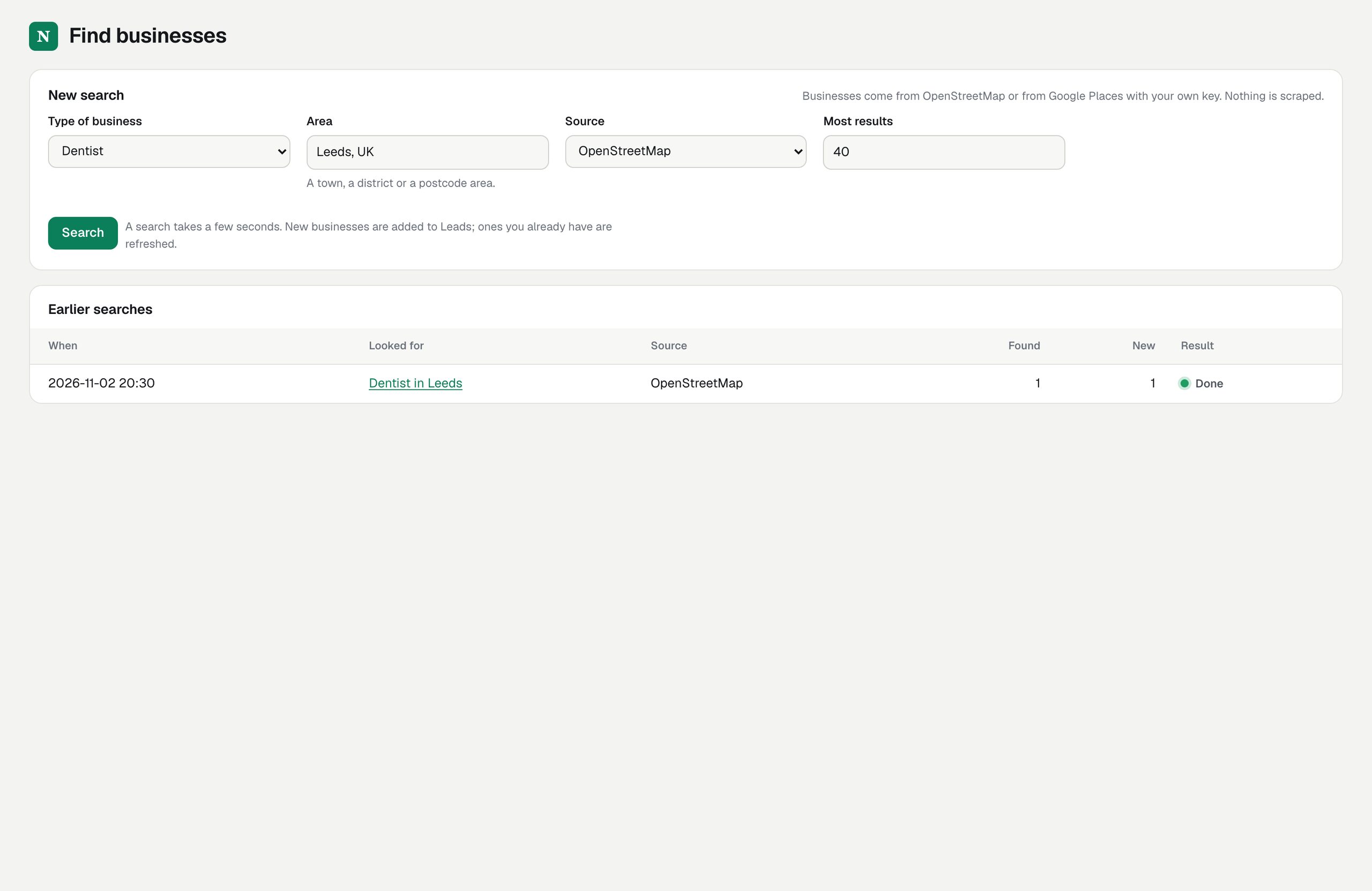
The public OpenStreetMap servers are used by everyone and promise no service. A trial search or two is fine; for regular use read Place data.
04Stop and start again
Press Ctrl+C in the terminal to stop. Everything you did is in the data folder and is there again after the next pnpm start.