
● Console settings · Setup
Brand
your agency's name, logo and colour.
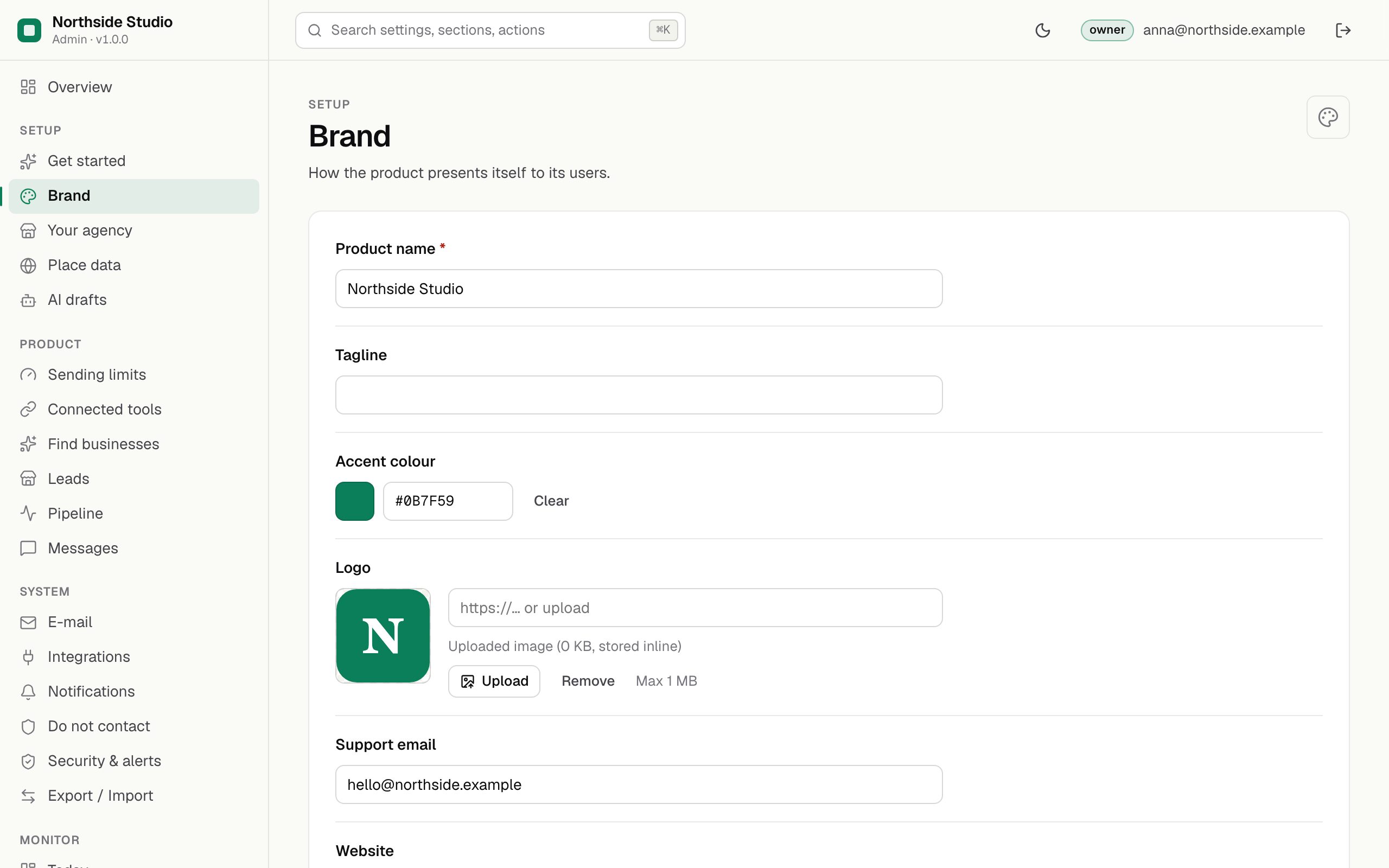
The Brand section decides how your installation presents itself: the console, the report pages you send to business owners, the unsubscribe page and the footer of every e-mail. Fill it in first, so that what business owners see carries your name and not the product's.
01Fields
| Field | What it does |
|---|---|
| Product name required | Your agency's name. It heads the report page and the "How the website check works" page, appears in the e-mail footer under your name, and is used in drafts ("I am Anna from Northside Studio"). While it is empty, the public pages say "Leadlantern". |
| Tagline | A short line about your agency. It is stored with the brand and kept in exports; the pages of this version do not show it. |
| Accent colour | The colour of buttons and highlights on the report page, as #RRGGBB. The text on top of it is chosen light or dark automatically. |
| Logo | Your logo, shown next to the name on the report page and in the header of the console's work pages. |
| Support email | Shown on the public "How the website check works" page as the address for questions or requests not to be contacted. If Place data has no contact e-mail, this address also identifies you to OpenStreetMap's servers. |
| Website | Your agency's website, linked in the "Run by" footer of the report page. |
02Example
As it appears in an export file (Export / Import):
{
  "brand.name": "Northside Studio",
  "brand.tagline": "Websites for local businesses",
  "brand.accent": "#0B7F59",
  "brand.supportEmail": "hello@northside-studio.example",
  "brand.website": "https://northside-studio.example"
}03Where business owners see it
- The report page at
/r/<link>(The report page). - The public page
/r/aboutthat the website check names in its user agent (details). - The unsubscribe page ("Northside Studio will not write to … again").
- The footer of every e-mail sent (footer).