
● Console settings · Setup
Place data
where businesses come from.
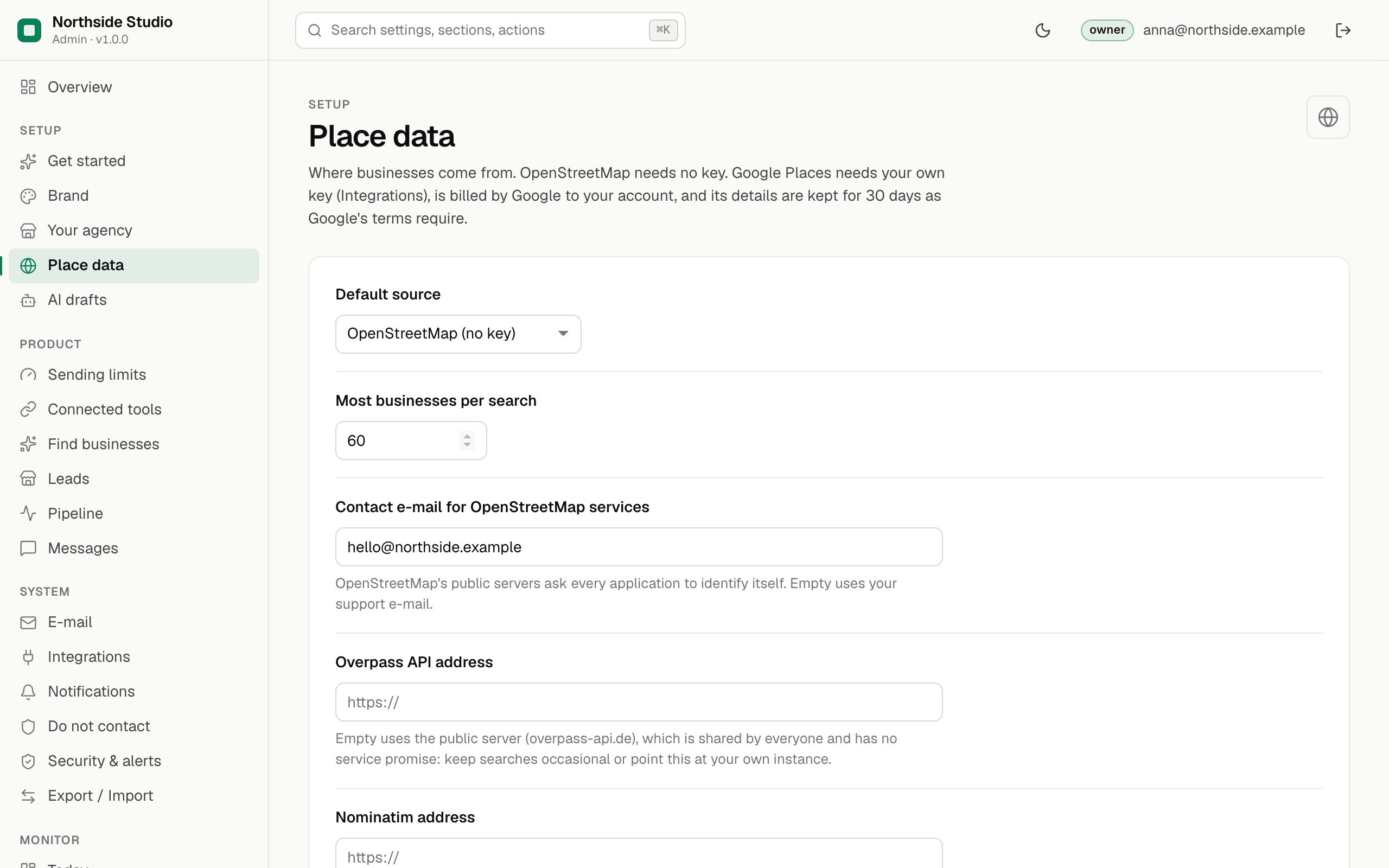
Leadlantern finds businesses in two official sources: OpenStreetMap, which needs no account or key, and the Google Places API, which needs your own key and is billed by Google to your account. This section picks the default source, the size of a search and the OpenStreetMap servers to ask.
01Fields
| Field | Default | What it does |
|---|---|---|
| Default source owner | OpenStreetMap (no key) | The source selected when the Find businesses form opens. The form can still switch per search. |
| Most businesses per search | 60 | 10 to 200. The upper limit for one search. Google Places returns at most 60 results per search whatever this says. |
| Contact e-mail for OpenStreetMap services | empty | OpenStreetMap's public servers ask every application to identify itself. This address goes into the User-Agent of each request (Leadlantern/1.0 (you@example.com)). Empty uses the support e-mail from Brand. |
| Overpass API address owner | empty | Empty uses the public server https://overpass-api.de/api/interpreter, which is shared by everyone and has no service promise. Keep searches occasional, or point this at your own Overpass instance. |
| Nominatim address owner | empty | Empty uses https://nominatim.openstreetmap.org, whose usage policy allows one request per second at most. Nominatim turns the area you type into a place on the map. |
02Example
{
  "places.provider": "osm",
  "places.maxResults": 60,
  "places.contactEmail": "hello@northside-studio.example",
  "places.overpassUrl": "",
  "places.nominatimUrl": ""
}
places.provider is osm or google. An empty address means the public server.
04Google Places
Add the key under Integrations. Google bills each search to your Google Cloud account; one search makes one to three requests (pages of 20 results, 60 at most). Google's terms allow keeping its place details for 30 days only, so Leadlantern removes them after that (Google's 30-day rule).