● Console settings · System · Optional
Notifications
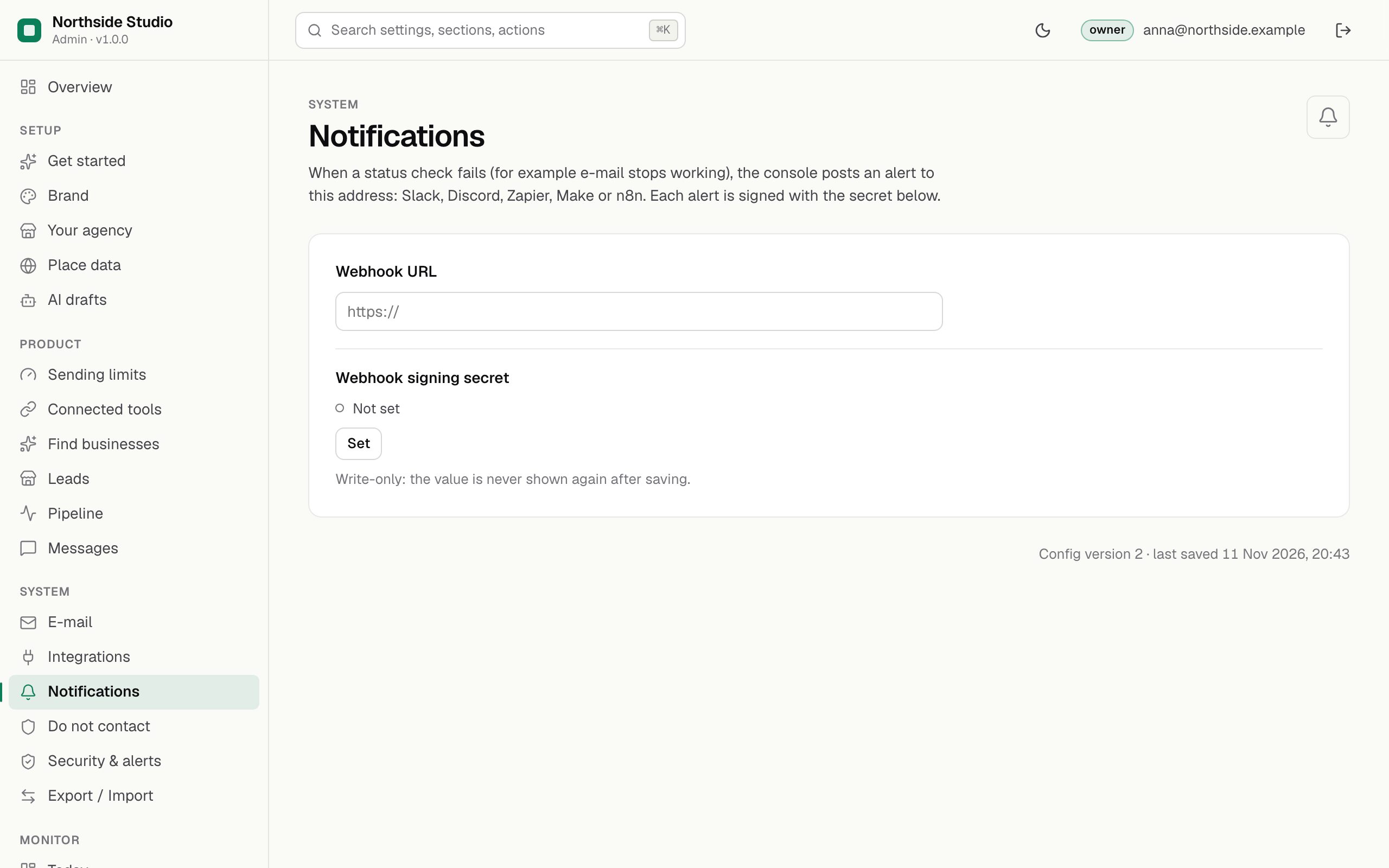
alerts to a webhook of yours.
Optional. The console can tell you when a blocker check starts failing, for example when the public URL stops being https. It does so by sending a signed JSON message to a web address you choose, such as an automation tool or a chat bot of your own. This section holds that address and its secret.
01Fields
| Field | What it does |
|---|---|
| Webhook URL | The https address that receives alerts. |
| Webhook signing secret owner | A secret you choose. Each alert is signed with it so the receiver can tell it came from your installation. Write-only. |
Switch the alert on under Security & alerts and press Send test alert there.
02What the webhook receives
A POST with a JSON body:
{
  "type": "mikodes.alert.blocker",
  "product": "leadlantern",
  "productName": "Leadlantern",
  "at": "2026-11-11T09:30:00.000Z",
  "title": "Blocker failing: Public URL is https",
  "detail": "Public URL is https: not set or not https: report and unsubscribe links cannot be built"
}
Headers: x-mikodes-event (the kind, e.g. blocker), x-mikodes-timestamp, and x-mikodes-signature: sha256=<hex>, the HMAC-SHA256 of <timestamp>.<body> with your signing secret. Compare it on the receiving side before you trust the message. Redirects are not followed and every delivery is written to the audit log.