
Pipeline
from a found business to a signed client.
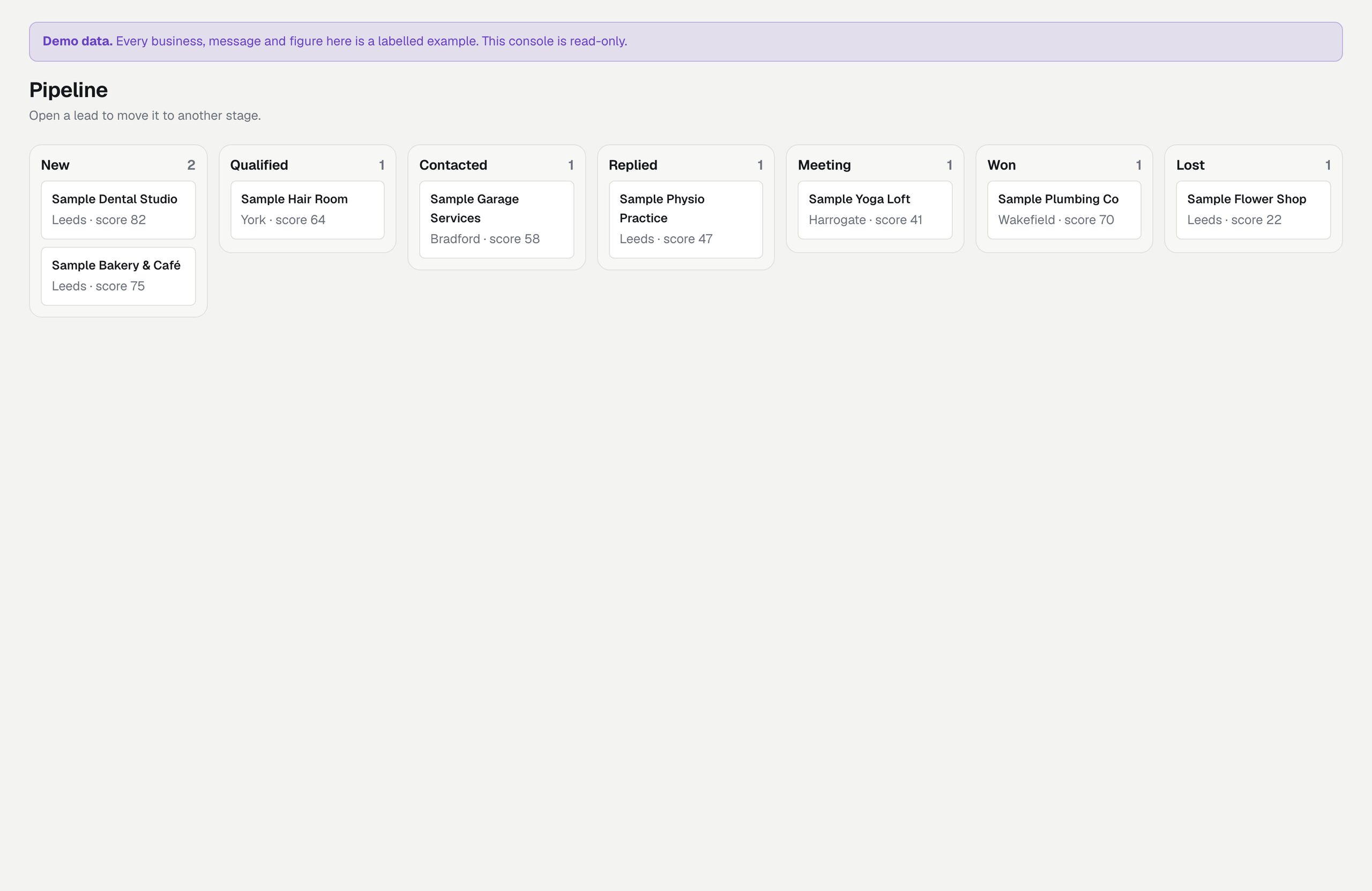
Every lead is in one of seven stages. The Pipeline page shows them side by side as columns, so you see at a glance who is new, who you wrote to, who answered and who signed. You move a lead on its own page; sending a first e-mail moves it to Contacted by itself.
01The stages
| Stage | Means | How a lead gets there |
|---|---|---|
| New | Found, nobody decided yet. | A search or Add a lead. |
| Qualified | Worth writing to. | You press Qualified. |
| Contacted | You wrote or called. | By itself when an e-mail is sent or recorded as sent by hand, or a call is recorded, from New or Qualified. Or you press it. |
| Replied | They answered. | You press it. Leadlantern does not read your mailbox. |
| Meeting | A call or meeting is agreed. | You press it. |
| Won | A signed client. | Mark as won with an optional deal value and a three-letter currency (EUR, GBP, USD…). Update the deal changes them later. |
| Lost | Not now. | Mark as lost with an optional reason. A lost lead cannot be written to until you move it back to an open stage. |
02The Pipeline page
One column per stage with its count and up to 25 leads (name, town, score); "N more" opens the full list for that stage. The Won column shows the total of deal values per currency. Open a lead to move it.
03Deal values
The deal value is what you type when you mark a lead as won: what you agreed with the client, not money received. Leadlantern takes no payments and bills no one. The Overview shows Won deal value for the chosen period in the currency used most.
04Take the pipeline elsewhere
Leads → Export CSV writes every lead with its stage, score, owner and deal value (CSV export).