
Unsubscribe and do not contact
people who said no are never written to.
Every e-mail Leadlantern sends ends with an unsubscribe link and carries your postal address. Anyone who uses the link goes on the do-not-contact list at once, and nobody on your team can write to that address again. You can add addresses or whole domains yourself, and mark a single business as do not contact.
01Your postal address comes first
Anti-spam laws such as CAN-SPAM in the United States require commercial e-mail to carry a real postal address and a working way to opt out; many other countries have similar rules. Leadlantern prints your postal address and the unsubscribe link under every e-mail it sends, and refuses to send while your name, postal address or public URL is missing. Use an address where you receive post.
02How unsubscribing works
- The person clicks the link in the e-mail footer, or the unsubscribe button their mail app shows from the
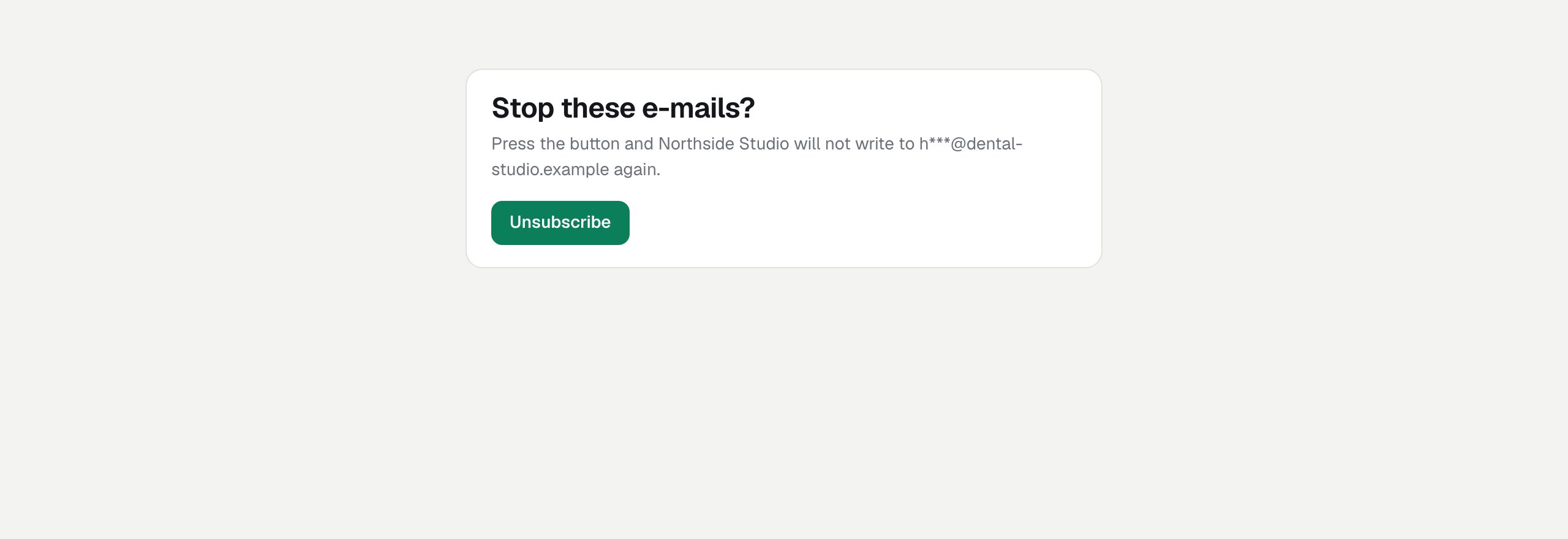
List-Unsubscribeheader. - A page in your brand asks "Stop these e-mails?" and shows the address shortened (
i***@example.com). Opening the page changes nothing, because mail scanners open links too. - They press Unsubscribe. The page says "Done": your agency will not write to that address again.
- In Leadlantern the address is added to the do-not-contact list as "Unsubscribed", every lead with that address is marked Do not contact, the lead's history says so, and the audit log records it.
- The link is signed with your
ADMIN_SECRET_KEY, needs no login, works any number of times and names no lead. The answer is the same whether or not the address is known. - Mail apps that support one-click unsubscribe send the request directly; the result is the same.
- One visitor may use unsubscribe links at most 60 times in 10 minutes.
- Changing the public URL or the secret key makes the links in e-mails already sent stop working. People can still reply and ask; add them by hand then.
03The do-not-contact list
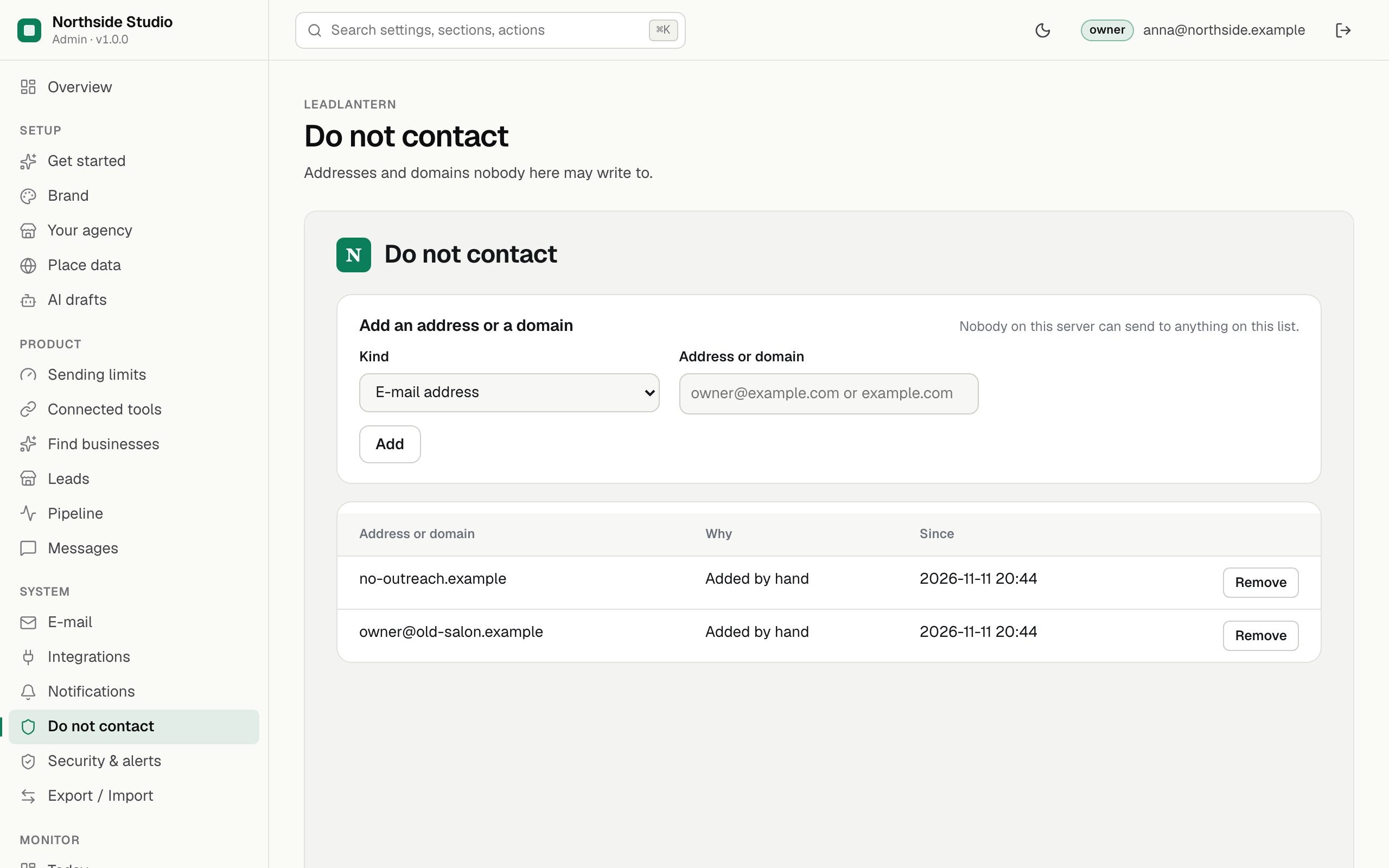
- Open Do not contact.
- Kind: E-mail address, or Whole domain.
- Address or domain:
owner@example.comorexample.com. A domain also covers the hosts under it:example.comalso stopsmail.example.com. - Press Add. Adding the same entry twice keeps the first.
The table shows each entry with why it is there (Unsubscribed, Added by hand) and since when. Remove is for the owner only, and only when the person asked you to write again.
The list knows the reasons "Bounced" and "Complaint", but this version does not receive bounce or complaint reports from Resend. When Resend shows you one, add the address here by hand.
04Do not contact on one lead
On a lead page, Contact rules → Mark do not contact stops every e-mail to that business (rule DO_NOT_CONTACT), also ones recorded by hand. A call script reminds you to mark it when someone on the phone asks not to be called again. Allow contact again lifts it.